Best Home Office Gadgets
Best home office gadgets — webcams, USB-C docks, monitor arms and desk accessories. Top-rated picks with live prices, updated weekly.

Office Desk Accessories 2pcs Computer Monitor Memo Board Office Supplies | Computer Monito

Desk Organizer and Accessories, 2-Tier Computer Monitor Stand Riser with Drawer and 2 Pen

gianotter Desk Organizers and Accessories with File Holder, 4-Tier Desk Accessories & Work

WALI Desk File Organizer, 4 Tier Desktop Paper Letter Tray Organizer with Drawer and 2 Pen

Anker Nano Power Strip, Desk Clamp, 70W Max, 1500J Surge Protector, 2 USB C | 6AC, Extensi

MOSISO Wrist Rest Support for Mouse Pad&Keyboard Set, Antique Green | Circle Curved Ergono

Airlonv LED Desk Lamp with Clamp, 17" Stepless Dimming Light, Black | 2700K-6500K, 100 LED
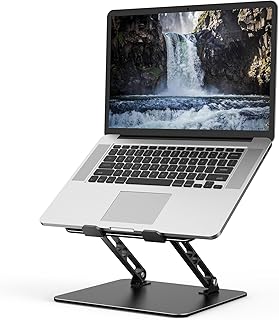
Adjustable Laptop Stand for Desk, Metal Laptop Riser Holder | Portable Desktop Book Stands

JOYROOM 9 Pack Magnetic Cable Clips, Cord Organizer Adhesive Wire Holder | Home Nightstand

To Do List Notepad, Undated Daily Planner for Work and Goal Setting | Greenery Sway, 52 Sh

BONTEC Dual Monitor Stand Riser, Adjustable Length & Swivel Angle, White | Ergonomic Woode

ROPOSY Cell Phone Stand for Desk, Gold Cell Phone Holder Desk Accessories

WAVLINK Laptop Docking Station, Docking Station Dual Monitor for HDMI | Single 4K@60Hz, 10

USB-C Docking Station Dual Monitor 2 HDMI 4K@60Hz, 7 in 1 USB C Hub Multiport Hdmi Splitte

Anker Laptop Docking Station Dual Monitor, 8-in-1 USB C Hub with 4K HDMI | Dual HDMI USB C

Anker USB C Hub, 5-in-1 USBC to HDMI Splitter with 4K Display | 85W Max PD, 1 Powered USB-

Anker Nano Laptop Docking Station, 13in1 Dock with Detachable 6in1 USBC Hub | 3 Display US

Dell Pro Laptop Docking Station WD25, USB-C, 100W, DisplayPort, HDMI | Universal Dock, Eth

Selore USB C Docking Station Dual Monitor, USB C to Dual HDMI Adapter | Dual 4K@60Hz HDMI

Docking Station Dual Monitor 4K HDMI 13-in-1 USB C Hub for Laptop MacBook | LIONWEI Triple

Acer USB-C Docking Station Dual Monitor, 9-in-1 Laptop Dock with 2 HDMI | Laptop Docking S

Acer USB C Hub, 5-in-1 USBC to HDMI Adapter with 4K@60Hz for Laptop/Mac | USBC Splitter Do

UGREEN USB C Docking Station Dual Monitor, 10-in-1 Laptop Dock with 2 HDMI | 2x HDMI, Sing
← All categories · Free tools →
What to look for in home office gadgets
The upgrades that change your day are the ones you use constantly: a 1080p+ webcam for how you show up on calls, a USB-C dock to turn a laptop into a one-cable desktop, and a monitor arm to reclaim desk space and fix your posture. Buy the dock to match your laptop's bandwidth — Thunderbolt for dual 4K, plain USB-C for a single screen.
What to watch out for
Cheap docks often can't drive dual high-resolution monitors no matter what the box claims — check the exact display spec, not the marketing. And plenty of 'HD' webcams still ship 720p, so insist on 1080p/60 or better.
How we choose
These picks come from current top-rated, in-stock products in this category — filtered for genuine review counts and live availability, then rebuilt every week with prices refreshed automatically. So the list reflects what's actually worth buying today, not a frozen ranking from last year. Links are affiliate links; placement is never paid for.
Best Home Office Gadgets: FAQ
Do I need a Thunderbolt dock, or is USB-C enough?
For one external monitor plus peripherals, a USB-C dock is cheaper and perfectly fine. For dual 4K displays or heavy data transfer, Thunderbolt is worth the premium.
Is my laptop's built-in webcam not good enough?
Most built-in cameras look mediocre in anything but perfect lighting. An external 1080p webcam is the single biggest upgrade to how you appear on calls.
Monitor arm — clamp or grommet mount?
Clamp mounts fit most desks and are easiest to install; grommet mounts are sturdier for heavy or dual-monitor setups if your desk has (or can take) a hole.
More categories: Smart Home · Audio · Wearables · Power & Charging · PC & Gaming · Outdoor & EDC · Home Network